
Type a short code and get your saved reply, with the blanks filled in.
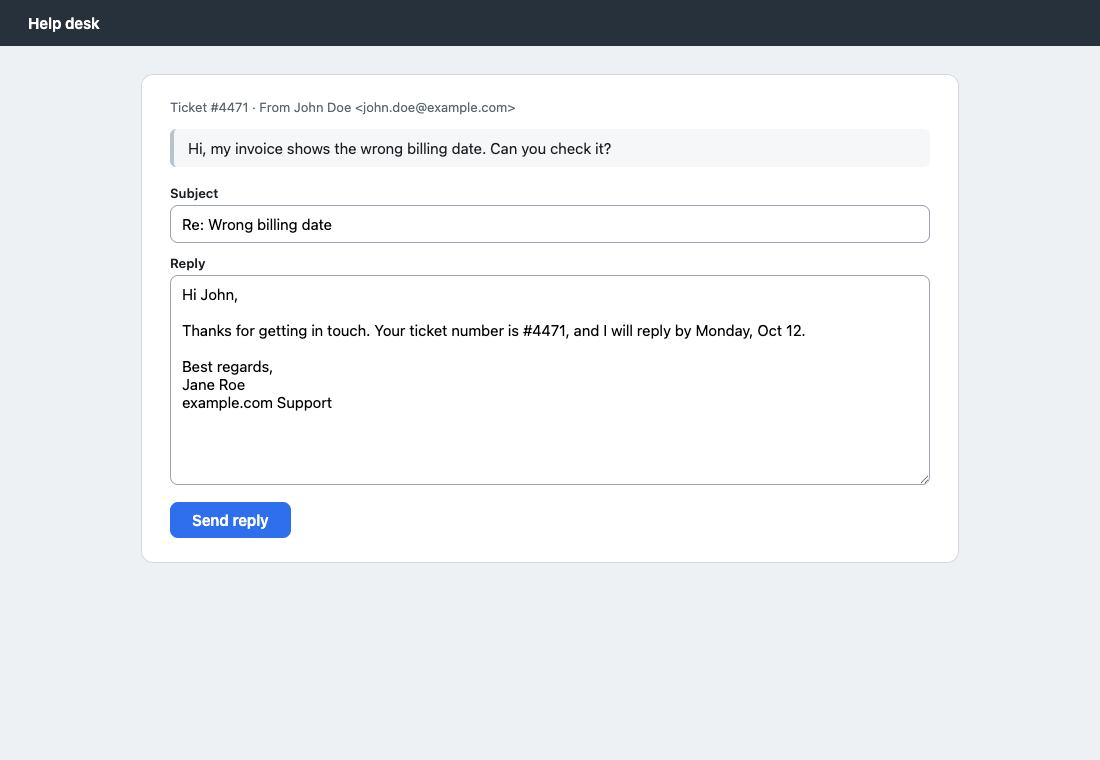
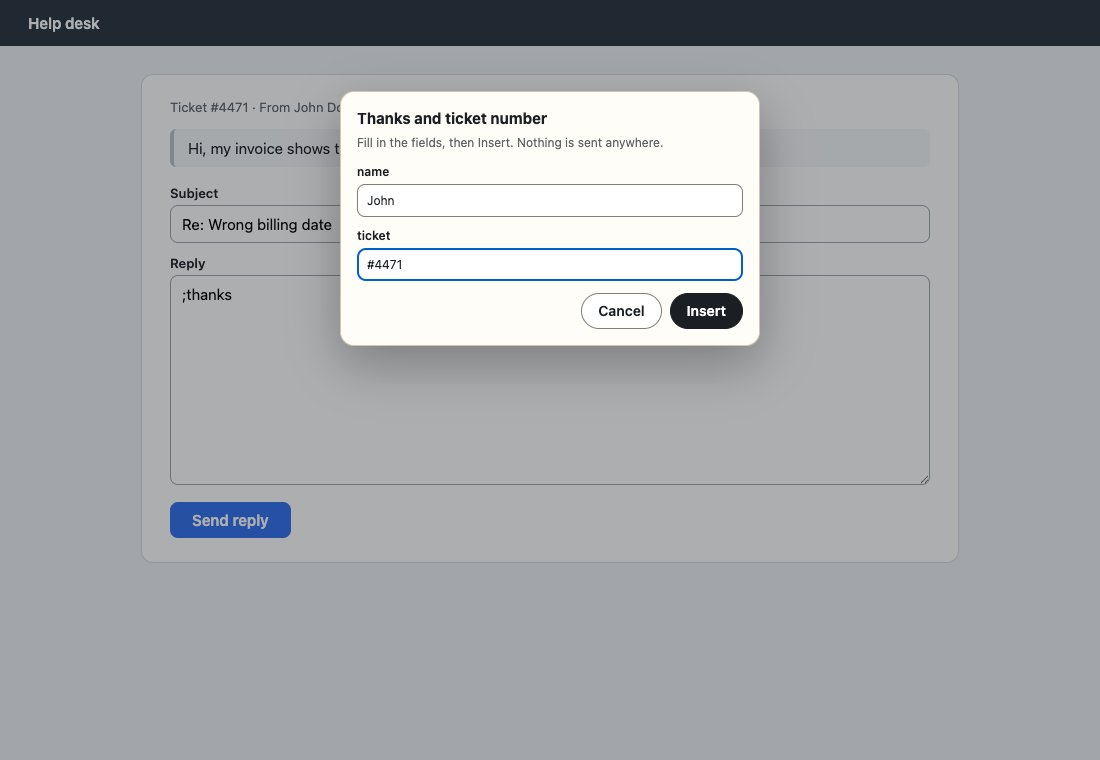
Snipbox keeps your frequent replies, signatures and notes in your browser. Type ;thanks in a text box and it turns into the full text, asking only for the parts that change, like a name or a ticket number. No account, no sync, nothing stored on our servers.
We do not store your data on our servers. Free, no account. Store listings are in review; install from the files in about a minute (steps below).
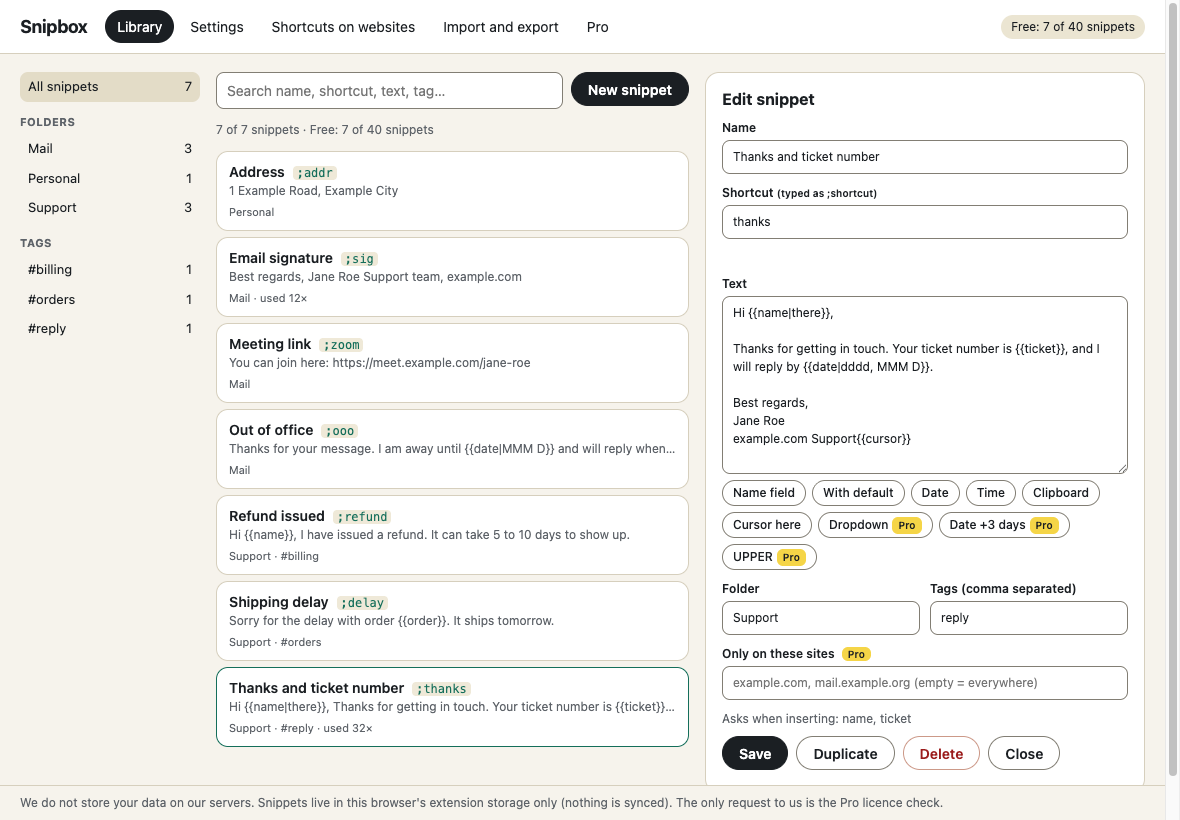
- 1. Save a snippetGive it a name, a shortcut (sig) and the text. Add fields like {{name}} or {{date}} where it changes.
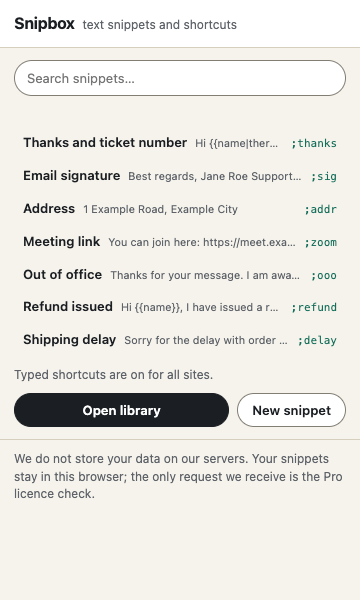
- 2. Type the shortcutIn a text box, type ;sig and a space. Or pick the snippet from the toolbar button, the right-click menu or Alt+Shift+S.
- 3. Fill in the blanksIf the snippet has fields, a small form asks for them, then the text goes in. Ctrl+Z puts your shortcut back.
What it does
- Replaces typed shortcuts in text boxes, text areas and editable fields (not in password fields, never while you are composing with an input method, never presses Enter or sends anything).
- Fill-in fields: name, default values, today's date and time, the clipboard, and where the cursor ends up.
- Insert without typing: toolbar popup, right-click menu, or an Alt+Shift+S search box. These need no always-on access.
- Folders, tags, search, duplicate-shortcut warnings, per-site "do not expand here" list.
- Import and export as JSON, import from a simple CSV.
- Works in single-line inputs, text areas, contenteditable editors, inside shadow DOM and same-origin frames (tested in Chrome on a fixture page; see limits below).
Free
- Up to 40 snippets
- Typed shortcuts (space, Tab or immediate), undo
- Fields: name (with defaults), date, time, clipboard, cursor
- Popup, right-click and keyboard insertion
- Import and export (JSON, CSV), folders and tags
- Per-site disable list
- Works in Chrome and Firefox
Pro $29 $14.50 once \u00b7 50% off until Oct 25
- Unlimited snippets
- Dropdown fields: {{status:choice(Open|Closed)}}
- Date math ({{date:+3d}}, weeks, months, years, business days) and upper / lower / title case helpers
- Snippet bundles: shareable JSON packs with a preview and pick-what-to-import dialog
- Per-site rules: a snippet that only expands on the sites you list
- Works in up to 3 browsers
Thanks. Your licence key is on the receipt. In the extension click \u201cHave a Pro key? Unlock\u201d, paste it and press Unlock.
Install in a minute
Permissions: activeTab and scripting (insert a snippet into the page you invoke it on), storage (your library), contextMenus (right-click menu). No host permissions are requested at install. For typed shortcuts the library page asks for optional access to all http/https sites or the domains you list, from an extension tab, and registers the content script only after you allow it. "Turn off" removes it and gives the access back. Install from the unzipped build (Chrome: Load unpacked at chrome://extensions; Firefox: about:debugging, Load Temporary Add-on) until the store listings are live.
Chrome, Edge, Brave: unzip the file, open chrome://extensions, switch on Developer mode, press \u201cLoad unpacked\u201d and choose the folder.
Firefox: unzip the file, open about:debugging#/runtime/this-firefox, press \u201cLoad Temporary Add-on\u201d and choose manifest.json. Temporary add-ons are removed when Firefox restarts; the Add-ons listing removes that limit.
Questions
Do you store my data on your servers?
No. We do not store your data on our servers. Your snippets and settings stay in this browser's extension storage and are not synced. The only request Snipbox makes to us is the Pro licence check (when you unlock Pro, about once a day, and when you release a browser). Without Pro it makes no network requests.
Does it work in every text box?
No, and we do not claim it. We tested plain inputs, text areas, contenteditable, a React-style controlled input, an editor that applies edits from its own model, shadow DOM, a same-origin frame, and checked that password, email, number and read-only fields are left alone. We could not test Gmail, Google Docs, Slack, Notion and similar signed-in sites. Google Docs draws its own text surface and is not supported.
Why does it ask to "read and change your data on websites"?
To expand shortcuts as you type, Snipbox must run on the pages where you type, and browsers describe that access in those words. You choose: all sites, or only the domains you list. Snipbox only looks at the few characters before your cursor to see whether they are a shortcut. You can also skip it: the toolbar button, right-click menu and Alt+Shift+S insert snippets with no always-on access.
Can it type into password fields or send messages for me?
No. It never expands in password, email or number fields, and it never presses Enter or sends anything.
What happens if I type a shortcut by accident?
Press Ctrl+Z (Cmd+Z on Mac) or Backspace right after the expansion and your typed shortcut comes back.
Does it support bold, links or formatting?
Plain text only. Rich formatting would need per-editor handling that cannot be done safely.
What happens to my snippets if I stop using Pro, or go over 40?
Nothing is deleted. Your library stays and keeps expanding. Only adding more snippets (free plan) and Pro-only fields stop working, and Snipbox tells you which snippet needs what.
Does it work in Firefox?
The Firefox build is included and uses the same code (Firefox 128 or newer). We tested in Chrome; the Firefox build has not been run yet.
Chrome and Firefox?
Both. The Chrome Web Store and Firefox Add-ons listings are in review, so for now you can install the files from this page in a minute.
See the privacy policy and terms. Snipbox is an independent tool and is not affiliated with any website it works on.