Find the broken links on a page, without crying wolf.
Linklens checks every link and image on the page you are on, from your own browser, and sorts the results honestly: confirmed missing pages, redirects, links that need a human look (blocked, rate-limited, login walls) and addresses it could not reach. Every line carries the request used and the status returned, so you can hand the report to a client or a developer and they can act on it.
We do not store your data on our servers. Free, no account. Store listings are in review; install from the files in about a minute (steps below).
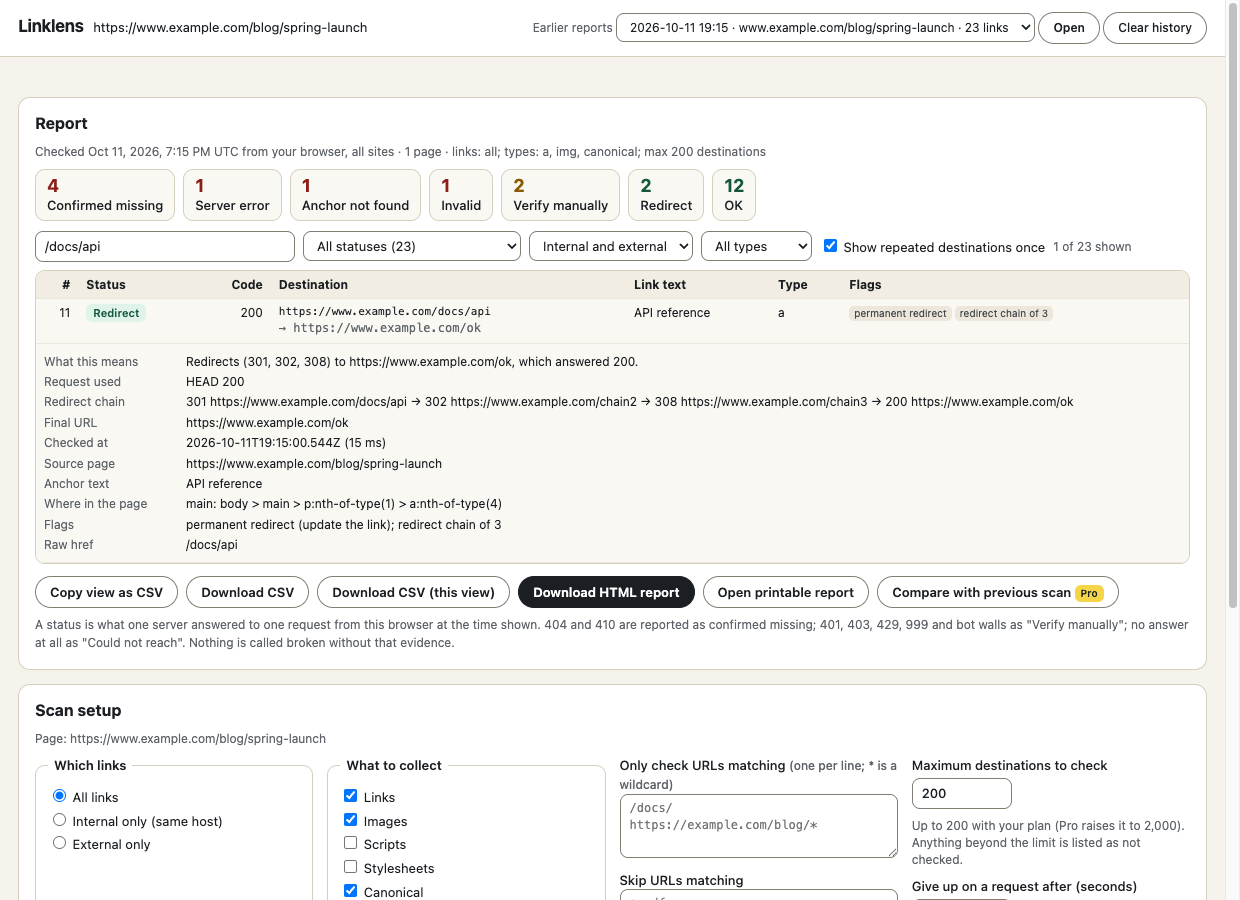
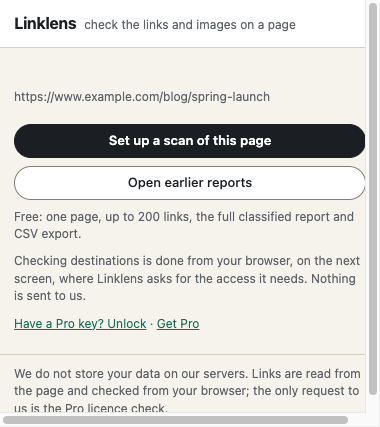
- 1. Open the page you want to audit and click Linklens, then set the scope (all, internal or external links, include and exclude patterns, how many)Open the page you want to audit and click Linklens, then set the scope (all, internal or external links, include and exclude patterns, how many).
- 2. Allow Linklens to check other sites from your browser (or choose "only this site", which needs no extra permission) and press ScanAllow Linklens to check other sites from your browser (or choose "only this site", which needs no extra permission) and press Scan.
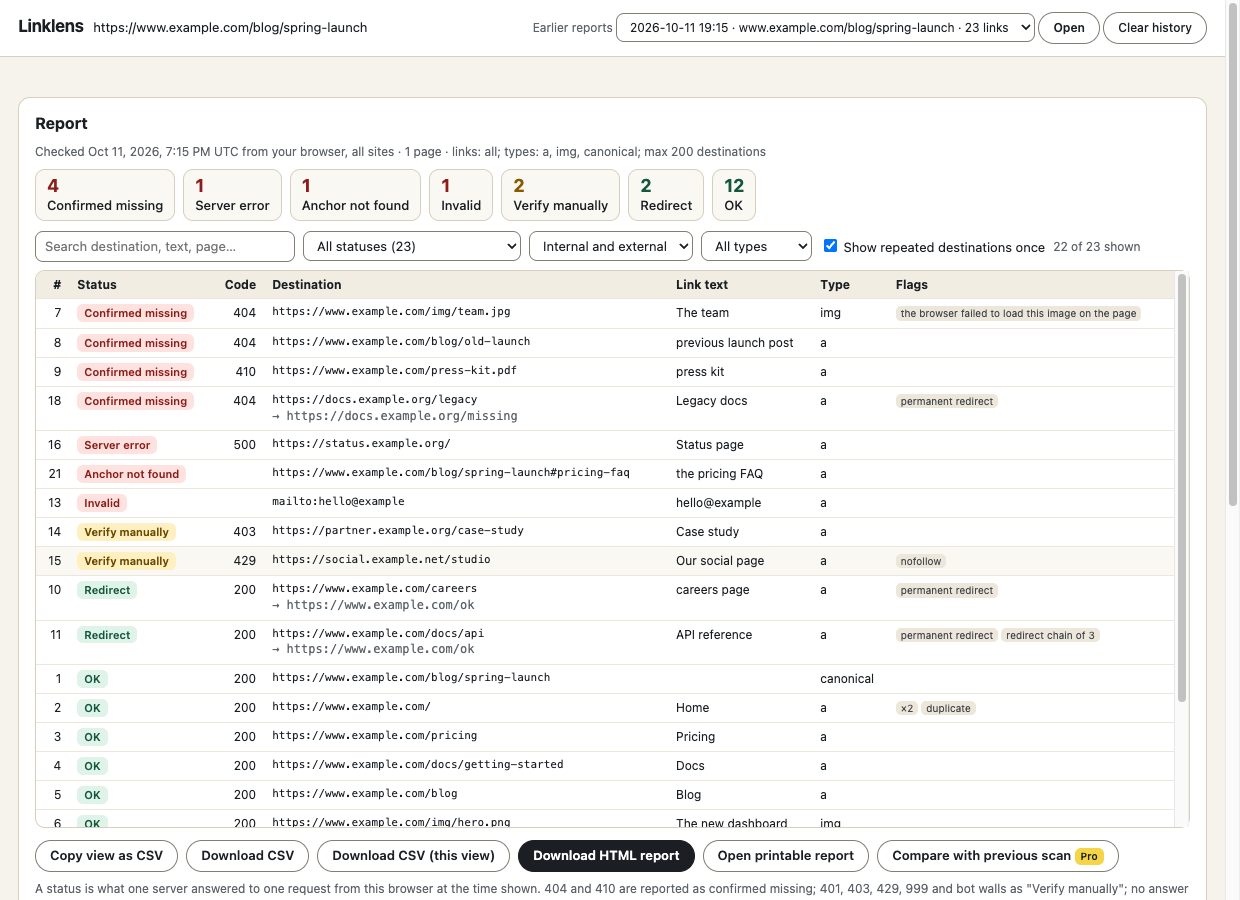
- 3. Filter and sort the report, open any link for its redirect chain and where it sits in the page, then export CSV or a printable HTML reportFilter and sort the report, open any link for its redirect chain and where it sits in the page, then export CSV or a printable HTML report.
What it does
- Collects links, images, canonical, and optionally scripts and stylesheets; checks #fragment anchors against the page; validates mailto: and tel: shapes.
- Tries HEAD first and confirms with GET, so servers that refuse HEAD do not look broken.
- Separates "confirmed missing" (404, 410) from "verify manually" (401, 403, 429, 999, bot walls) and "could not reach" (timeout, DNS, TLS, reset). A failed fetch is never called broken.
- Shows redirects with the status of every hop, flags permanent redirects, http to https, long chains and loops (hop detail needs an optional permission; see the FAQ).
- Flags mixed content, duplicates, nofollow and target=_blank, empty and "click here" link text.
- Polite by design: at most two requests at a time per site, spaced out, no cookies, no crawling beyond your page or your list.
- Always shows what was not checked and why: outside your scope, over the limit, blocked by permission, or stopped.
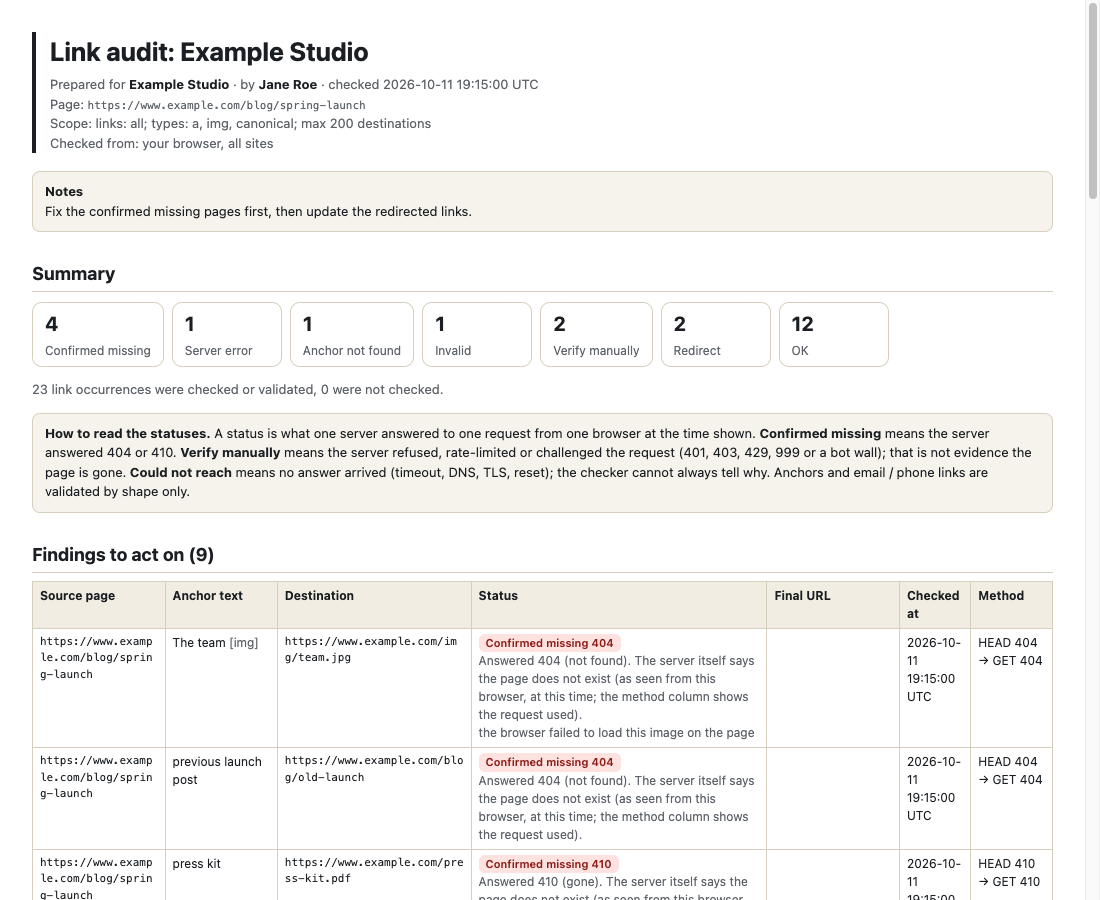
- Filters, sort, per-link evidence, copy or download CSV, printable HTML report with source page, anchor text, destination, status, final URL, time and method.
Free
- Scan the current page, up to 200 destinations
- The full classified report with filters, sort and per-link detail
- Scope controls for the scan: internal or external, include and exclude patterns, link types
- CSV export (copy, download, or just the filtered view)
- Printable HTML report with the evidence columns
- Last six scans kept on your device
- Works in Chrome and Firefox
Pro $29 $14.50 once \u00b7 50% off until Oct 25
- Scan up to 2,000 destinations
- Saved scopes: include and exclude sets per site
- A list of pages: paste up to 25 addresses and scan them in one report
- Compare with your previous scan of the same scope: new problems, fixed, removed, changed
- Branded-free handoff HTML report: your client name, prepared-by and notes, no Linklens credit line, with the comparison included
- Works in up to 3 browsers
Thanks. Your licence key is on the receipt. In the extension click \u201cHave a Pro key? Unlock\u201d, paste it and press Unlock.
Install in a minute
- Install the extension (Chrome: load the unzipped build for now; Firefox: temporary add-on until the store listing is live). - Permissions at install: activeTab, scripting, storage. Optional, requested from the report tab when you scan other sites: access to all sites and webRequest. Nothing is requested in the background. - Firefox build targets Firefox 128 or newer; it has not yet been run by the maintainers (see README).
Chrome, Edge, Brave: unzip the file, open chrome://extensions, switch on Developer mode, press \u201cLoad unpacked\u201d and choose the folder.
Firefox: unzip the file, open about:debugging#/runtime/this-firefox, press \u201cLoad Temporary Add-on\u201d and choose manifest.json. Temporary add-ons are removed when Firefox restarts; the Add-ons listing removes that limit.
Questions
Do you store my data on your servers?
No. We do not store your data on our servers. Linklens reads the page and builds the report in your browser. What leaves your browser is (1) the requests to the link addresses you chose to check, sent straight from your browser to those sites, without cookies, and (2) the Pro licence check to tools.cosmovexapps.com (your licence key and a label like "Linklens Chrome"). Reports, link lists and scan history stay on your device.
Why does it say "Verify manually" instead of "broken" for some links?
A 403, 401, 429 or a captcha page is a server saying "not for this request", often because of bot protection, a login wall or rate limiting. It is not evidence the page is gone. Only a 404 or 410 is reported as confirmed missing, and the report shows the method and status behind every line.
What does "Could not reach" mean?
No answer arrived: a timeout, a DNS failure, a certificate problem or a reset connection. Browsers do not always say which, so Linklens says "could not reach" and tells you to open it by hand, rather than guessing. With the optional webRequest permission it shows the browser's own error name.
Which permissions does it need, and why?
At install: activeTab, scripting and storage (read the links of the page you open it on, keep your settings). When you scan, a Linklens tab asks for optional access to all sites so your browser can read the answers other sites give, plus optional webRequest so it can show each redirect step and the browser's error name. Decline them and use "only links on this exact site" and it still works for same-site links. Linklens never crawls beyond the page or page list you give it.
Does it check pages behind a login?
It fetches destinations without your cookies, so members-only links will show as "Verify manually". The page you scan from the toolbar is read as you see it. We have not tested it on logged-in sites.
Does it work on links added by JavaScript?
The page you scan from the toolbar is read live, so yes. Pages in a Pro page list are fetched and read without running their scripts, so links that scripts add are not seen there.
What are the limits?
Free scans up to 200 destinations per scan, Pro up to 2,000. Anchors on other pages, mailbox existence and "soft 404" pages that return 200 are not checked. A big scan takes minutes because requests are spaced out; keep the report tab open.
Is Pro a subscription?
No. One payment of $29 (launch price shown on the page while the offer runs), activates on up to three browsers, no account.
Chrome and Firefox?
Both. The Chrome Web Store and Firefox Add-ons listings are in review, so for now you can install the files from this page in a minute.
See the privacy policy and terms. Linklens is an independent tool and is not affiliated with any website it works on.